Connecting to Jira
To connect your project's Jira to Pulse and get access to task progress, sprint progress, release details, and more, follow the instructions below.
Step 1. Get Jira API key
- Go to Jira -> Security -> API Tokens
- Click Create API token
- Enter the token name and token's expiry date
- Click Create
- Copy your Jira API token to clipboard
Step 2: Add Linear API key to Pulse
-
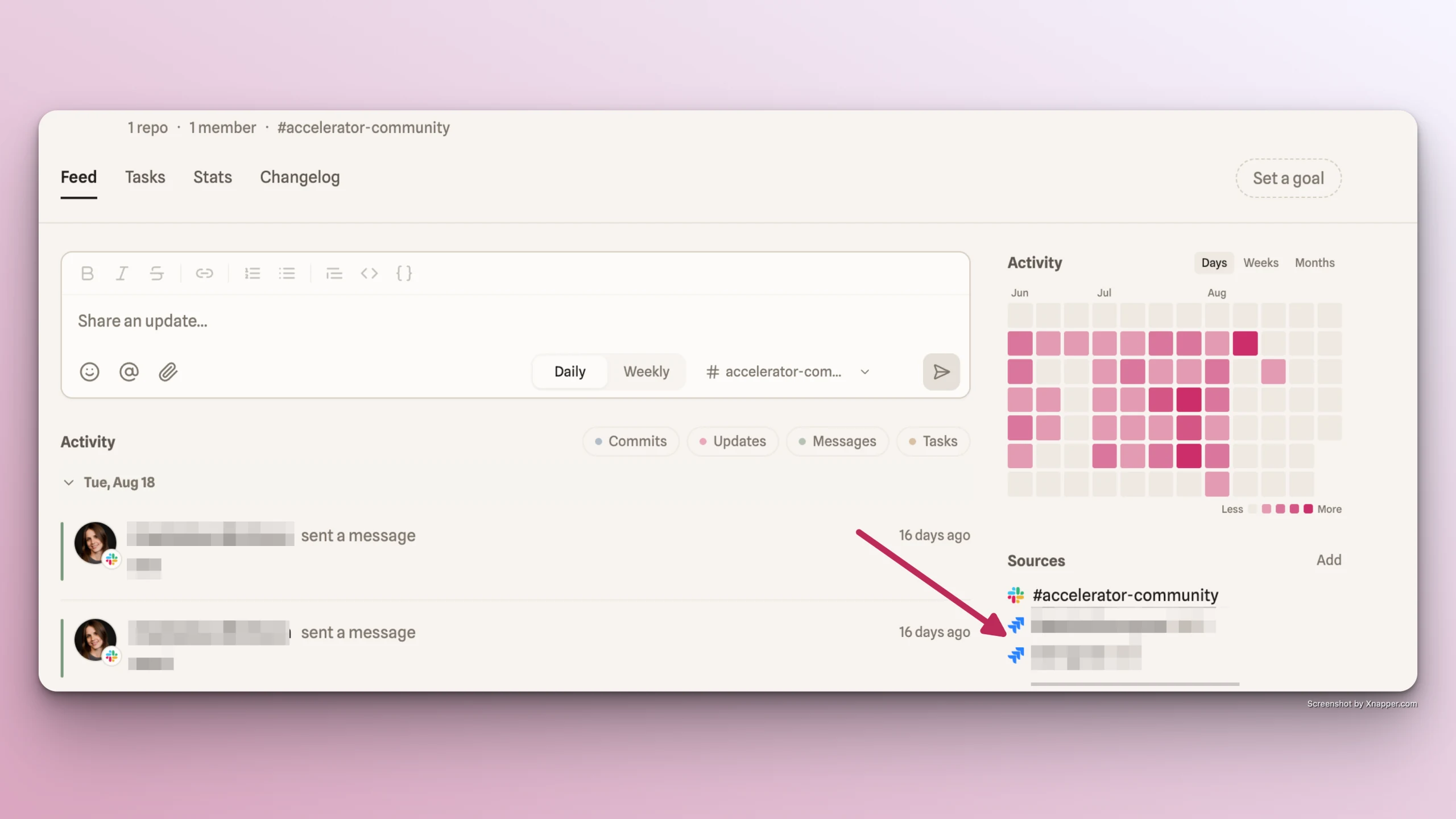
Go back to Pulse app -> Feed tab -> Sources section -> Add button -> select Add Jira projects
-
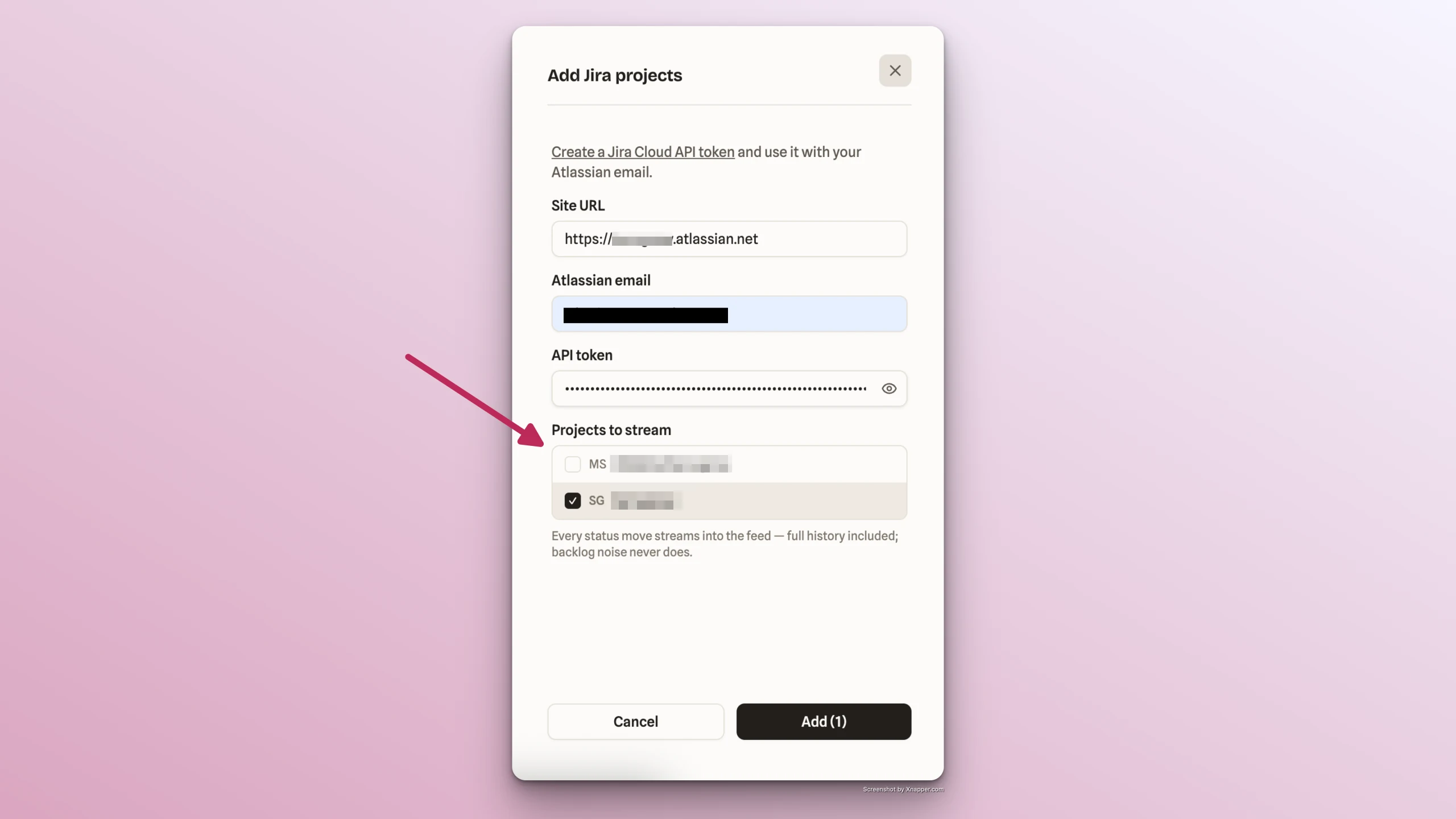
Add Jira's URL
-
Add your Atlassian email
-
Paste the copied API key into API token field in Pulse
-
Click Find Teams -> Select the project team to stream
-
Select the projects boards to stream
-
Click Add
-
Find the Jira account connected in Sources section of Feed tab