
Using Jira correctly for accurate Pulse roadmaps
What Is the Roadmap?
The Roadmap is a consolidated view of work the team has already delivered and work that's planned, sourced directly from Jira. It's used by clients and investors to track product development progress, so its accuracy depends entirely on how consistently the team manages the underlying Jira data.
Jira Rules
All data shown in the Roadmap is pulled from the Jira boards connected to Pulse. A single Pulse project can have multiple Jira accounts/boards linked to it, so for the Roadmap to display correctly, the following rules must be followed consistently across all connected boards.
1. Assign every planned item to a Jira Release
The Roadmap pulls work items through their assigned Release. Specifically, each Release's Release Date, regardless of whether the Release status is "Released" or "Unreleased."
- Set the target Release Date immediately after creating the Release. Don't leave it blank.
- Work items not assigned to a Release will not appear in the Roadmap at all. This is the most common cause of missing items, so it should be treated as a mandatory step, not an optional one.
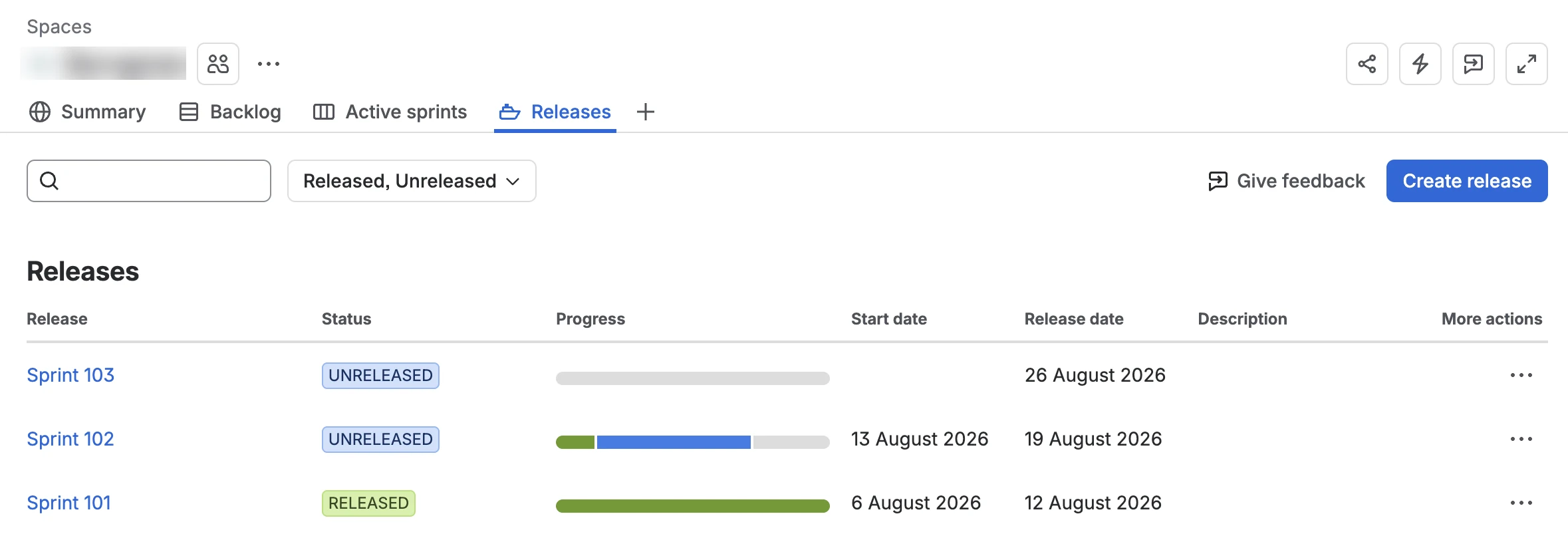
Create releases in advance as soon as you start planning upcoming sprints.
If you have several sprints planned, create a release for each with approximate dates, and update them later as needed.
2. Follow the Epic guidelines
Use the team's epic guidelines for creating Epics and assigning work items to them: an Epic should represent a specific initiative, not a system area.
-
When an epic is needed: the feature spans more than one task, or multiple tasks belong to the same initiative. Otherwise, skip it.
-
How to name one Pattern: [Action verb] + [what changes]
- New functionality → "Introduce Deposits"
- Changing functionality → "Rework Deposits Calculation"
- No verb, just a feature name → likely a system area in disguise
-
Avoid
- Catch-all Epics like "UI Improvements" or "Infrastructure" — they never close and dilute reporting
- Vague names like "Deposits Update" — prefer "Deposits: Configurable Amounts"
3. Keep work item types clear and consistent
Every work item must be assigned the correct type. Mixing up types (e.g. logging a Bug as a Task) undermines Roadmap accuracy and skews reporting on what was actually delivered.
4. Use a consistent naming structure per work item type
Aim to have the issue title be self-explanatory, with enough detail that its purpose is clear without opening the issue.
Consistent naming makes work items scannable at a glance, both in Jira and in the Roadmap, without needing to open each ticket for context:
| Type | Naming Convention | Example |
|---|---|---|
| New Feature | [Feature name]: [what it enables] | Fixed Price Payments: Add fixed price option for recurring jobs |
| Improvement | [Existing feature]: [what's improved] | Vitals Timeline: Add day/week/month view toggle |
| Task | [Action] + [what it applies to] | Migrate legacy invoice records to new schema |
| Bug | [System part in brackets] + what doesn't work | [Deposits] Payment button reappears after successful Stripe payment |
5. Use "no-roadmap" label to exclude the work item from roadmap
The "no-roadmap" label hides work items from the Pulse roadmap. It's created mainly to be used for bugs tied to a feature that's already on the roadmap, they'd just add noise without giving new information.
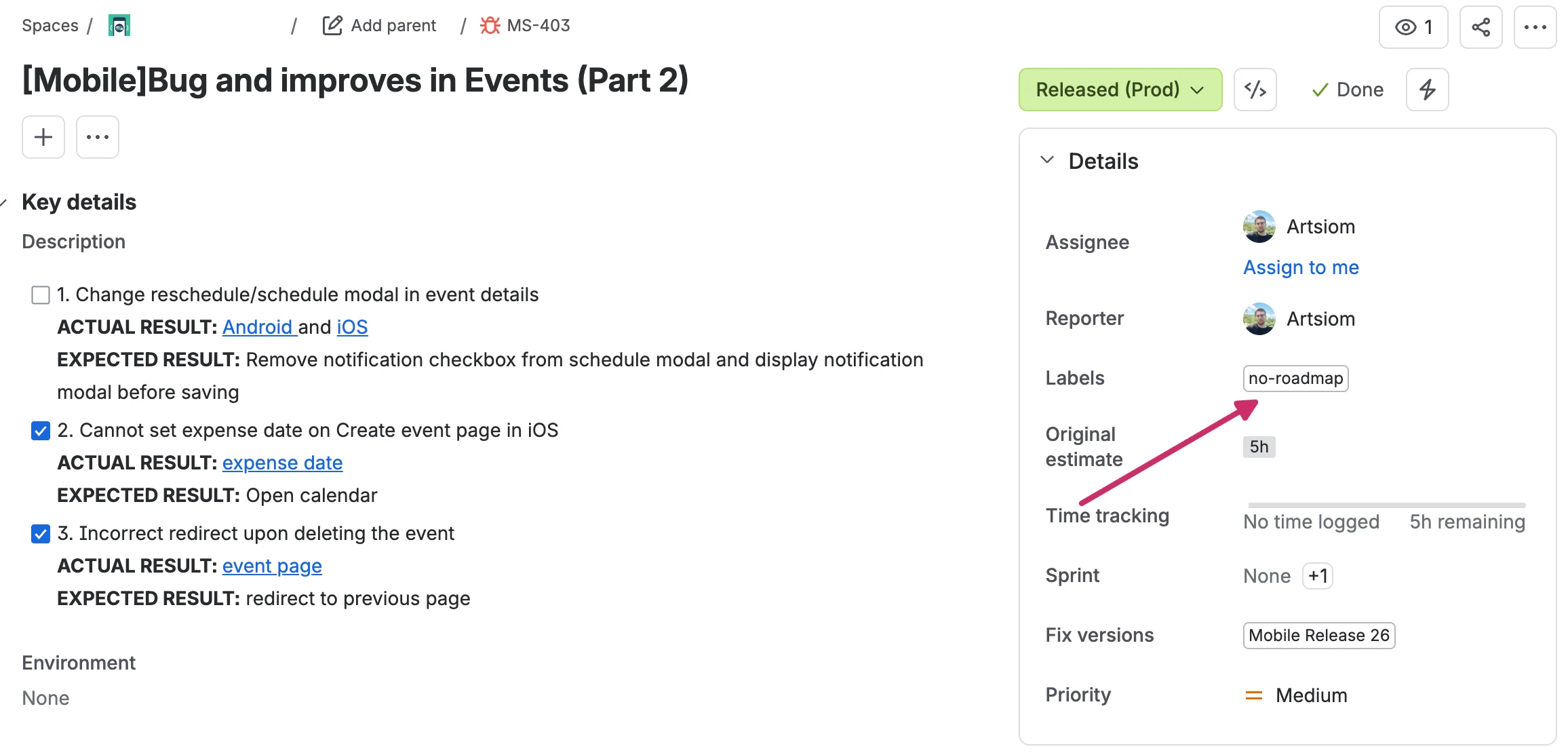
6. Reflect sub-projects (if any) in the work item title
If your project has separate sub-projects, make that clear in each work item's title. For example, if you have one project for the web app and another for mobile, prefix mobile work items with [Mobile] in the title, so it's immediately clear which sub-project each item belongs to, e.g. [Mobile] Bug and improvements in Events (Part 2).
7. Keep the Jira tasks assigned to engineers
While QA always tests every task, Pulse Roadmap should show which engineer completed each task so we can track individual developer progress. Don't reassign a task to QA when it's ready for testing, keep it under the developing engineer until the final Jira status.