
Pulse Roadmap
What is a roadmap?
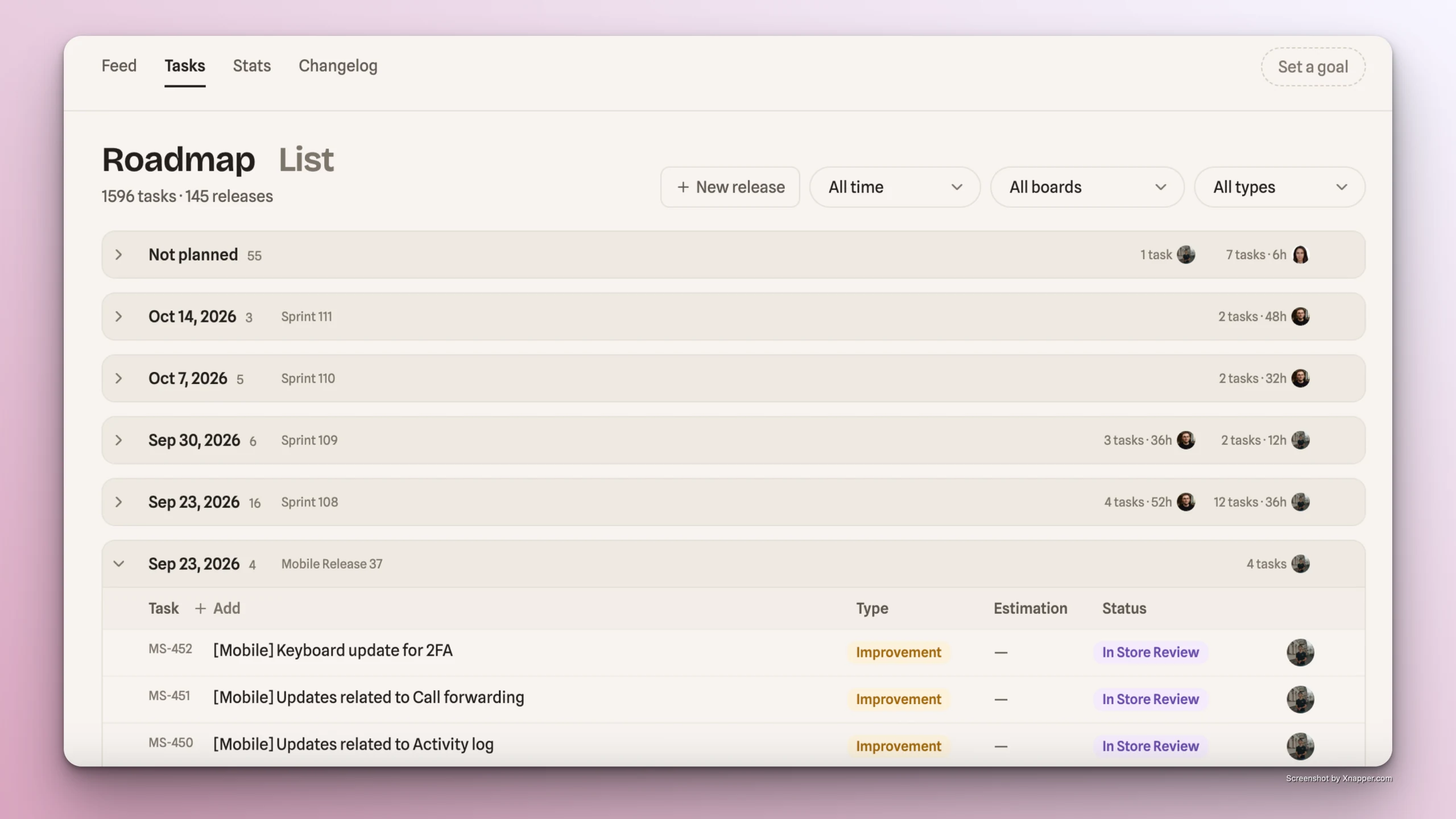
Roadmap is a board synced with Jira that displays Jira issues grouped by release. Issues not yet assigned to a release are collected into the Not Planned group at the top of the roadmap.
The roadmap will be empty if no Jira or Linear task tracker is connected to Pulse.
How to connect Linear | How to connect Jira
Structure
The roadmap groups tasks by release date, with a separate "Not planned" group for tasks not assigned to any release.
Roadmap management
All actions users take on the roadmap in Pulse are reflected in the connected Jira project.
-
Add issue
- If multiple Jira boards are linked to the Pulse project, you'll first select the board to create the task in.
-
View issue description, with the ability to open the issue directly in Jira
-
Update issue properties by clicking the relevant field:
- Title
- Type
- Estimation
- Status
- Assignee
-
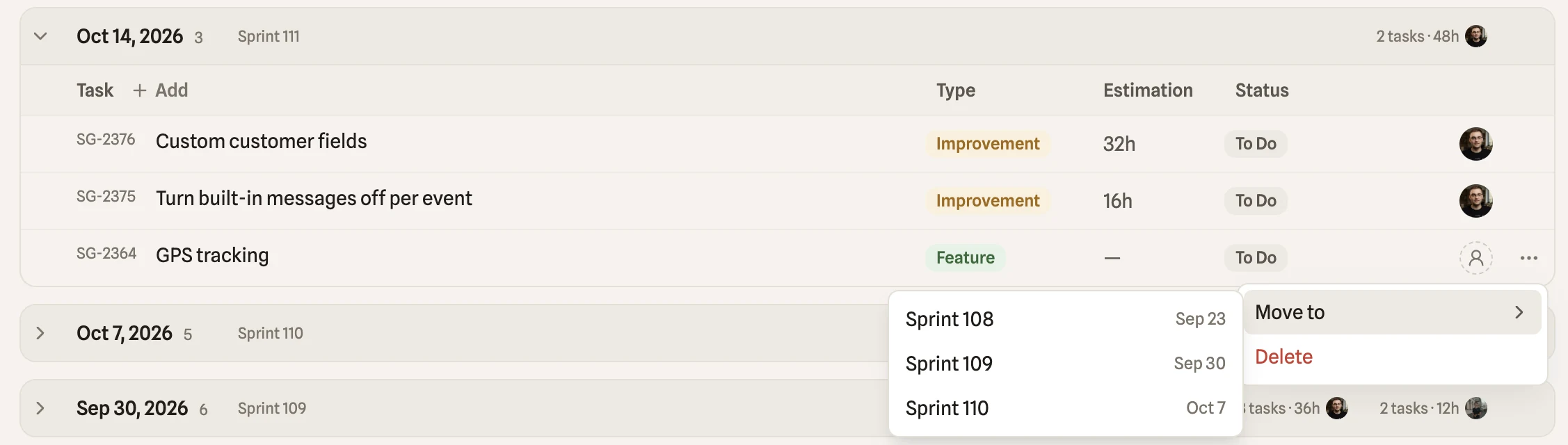
Assign issue to release via drag and drop, or using "Move to" feature:
-
Delete issue
-
Add new release
- If multiple Jira boards are linked to the Pulse project, you'll first select the board.
- Type in release name
- Set the release date
Release summary capacity
-
Each release/group on the roadmap displays a summary showing:
- The number of issues assigned to the release/group
- Team members' workload: number of assigned tasks and total original estimation (in hours) across those tasks
Roadmap visibility rules
- Not Planned group shows issues that aren't assigned to any release and were created or updated within the last 60 days
- Jira work items labeled "no-roadmap" are not shown on the Pulse roadmap