Inviting team members
Add your teammates and assign roles.
Pulse lets your team collaborate directly inside the tool, with role-based permissions to control what each invited member can see and do. Whether someone needs full control over a project or just visibility into updates, Pulse's roles let you tailor access to fit their responsibilities. This article covers the available roles, how to invite team members to a project and manage them.
Roles
Currently Pulse supports the following roles:
- Member (default) – Can see the feed and post updates. Visible to the whole team.
- Manager – Has full permissions: fully runs the project, including members, integrations, and identities. Can see observers.
- Client - Same access as a member: can see the feed and post updates, visible to the whole team. Client-only features are coming soon, on top of this base access.
- Guest – Read-only: can see the project but cannot post. Visible only to managers.
Invitation Flow
If the member you want to invite is new to Pulse
-
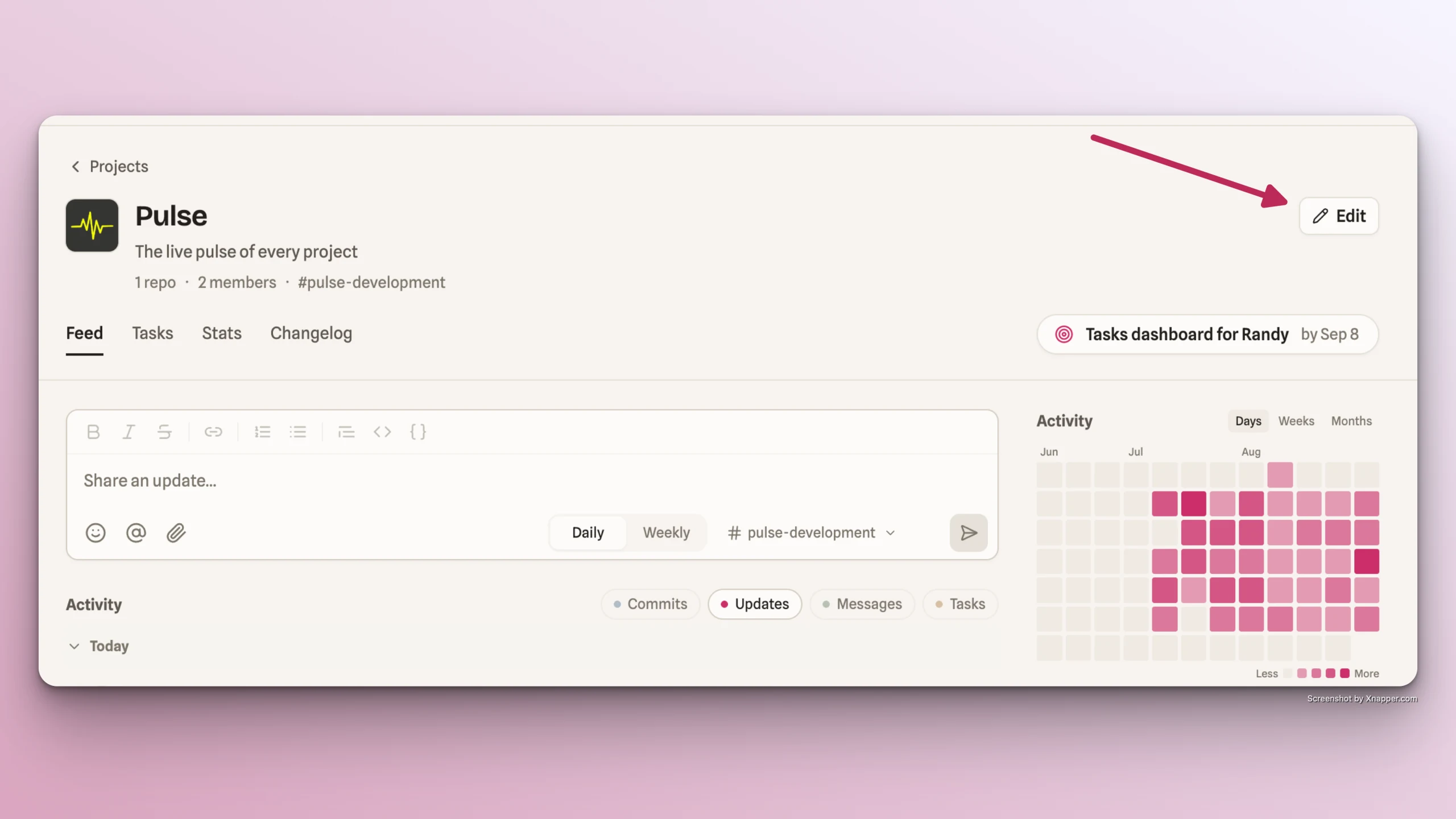
Click the Edit button at the top of your project page.
-
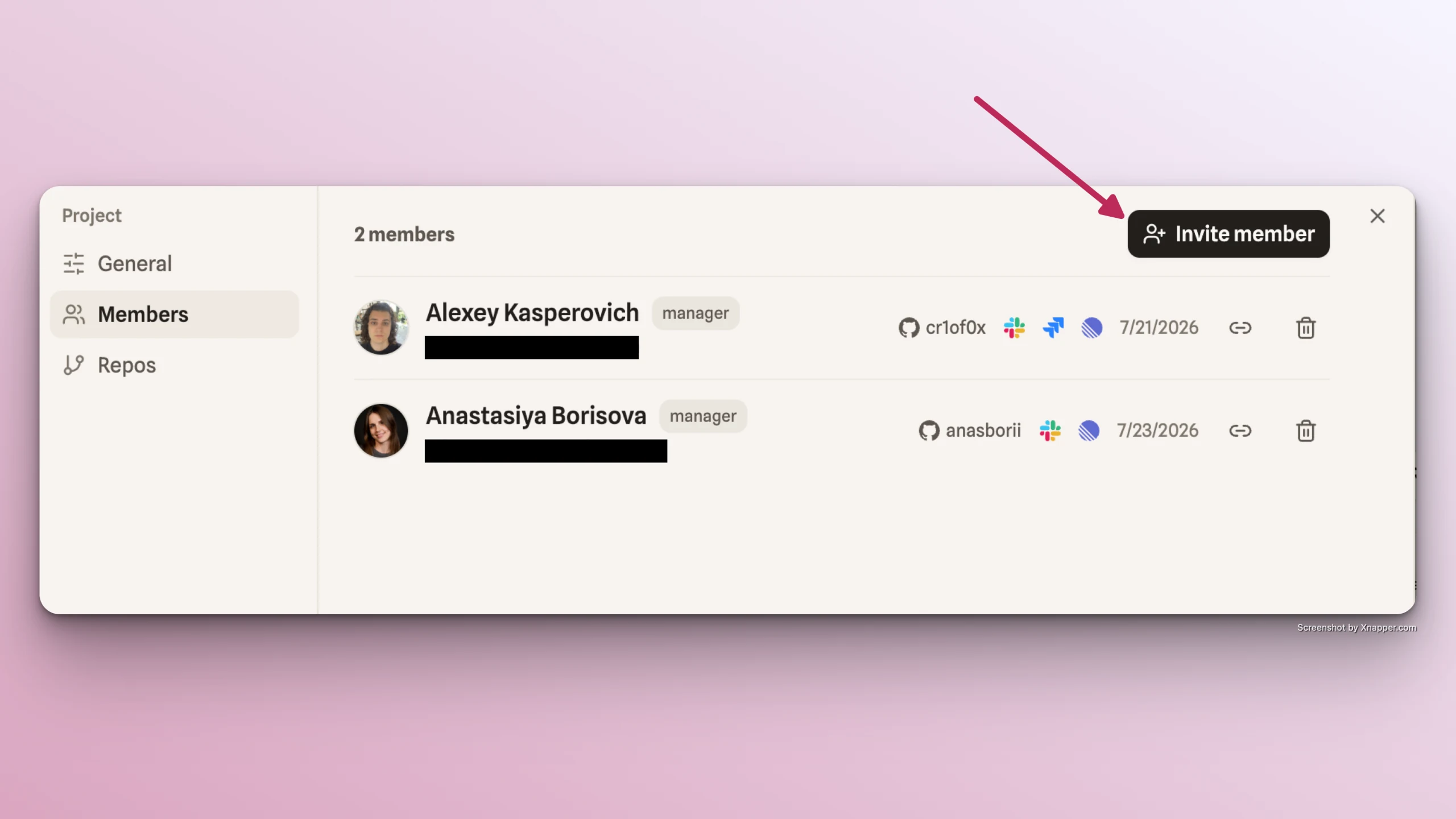
Go to Members tab -> click Invite member
-
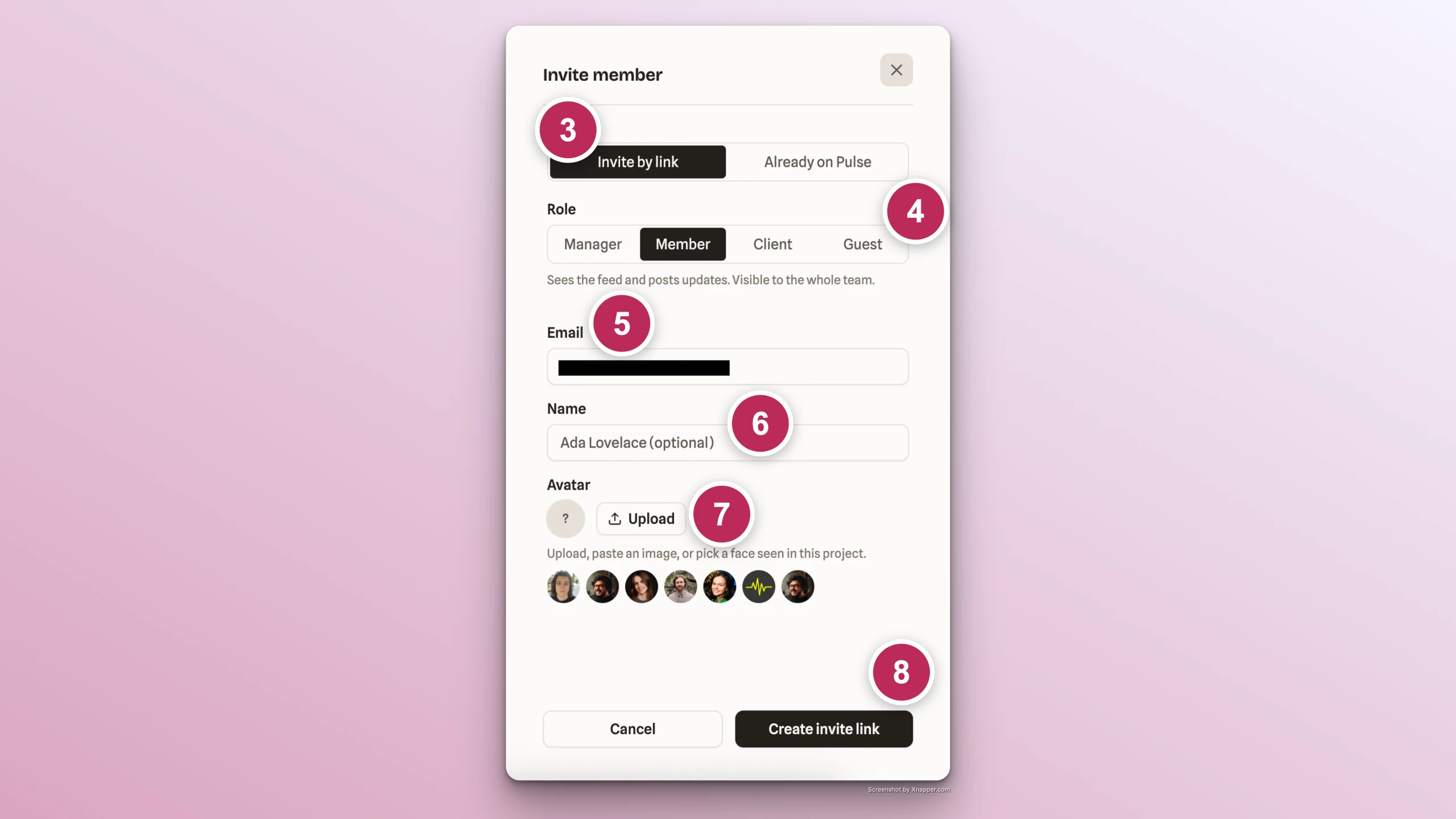
Keep Invite by Link option selected (set by default)
-
Select a role for the new member: Member (by default) / Manager / Client / Observer
-
Enter member's email (required)
-
Enter member's name (optional)
-
Upload member's avatar (optional)
-
Click Create Invite Link
Copy the generated link into clipboard and share it with the corresponding team member.
Keep in mind that the link expires in 7 days after the generation
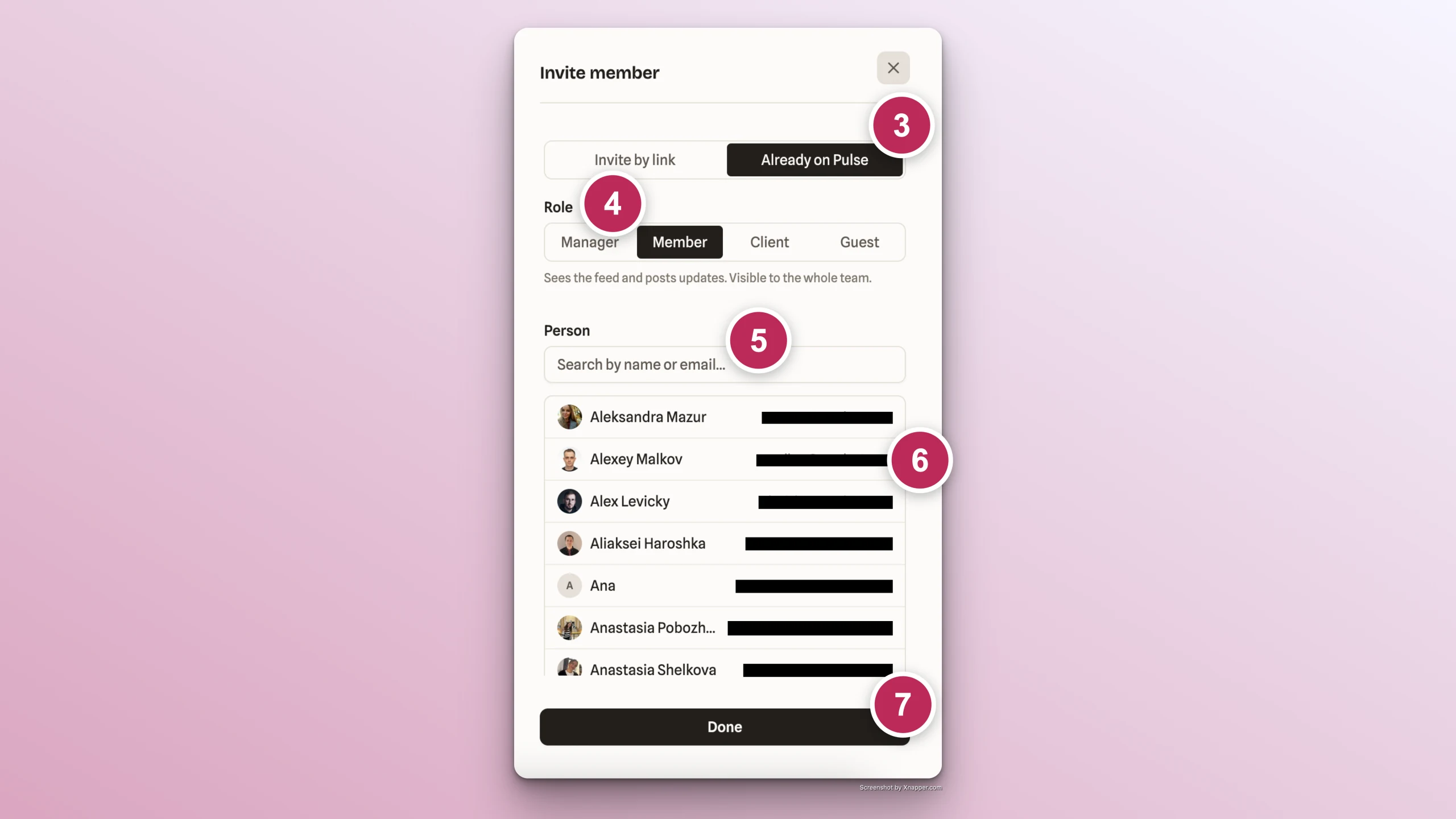
If the member you want to invite is already registered in Pulse
- Click the Edit button at the top of your project page.
- Go to Members tab -> click Invite member
- Select Already on Pulse option
- Select a role for the new member: Member (by default) / Manager / Observer
- Search by member's name or email
- Click on the member in the search results (multi-select is not available)
- Click Add to project button
- Select another member in the same way and ones all members are added, click Done button.