
What is Feed and how to use it
What is Feed
The Feed is the heartbeat of the project, bringing together everything that happens: updates, commits, messages from connected Slack channels, task status changes, changelogs.
The Feed supports filtering. By default, all activity is shown, but you can filter by Commits, Updates, Messages, or Tasks.
Feed activity structure
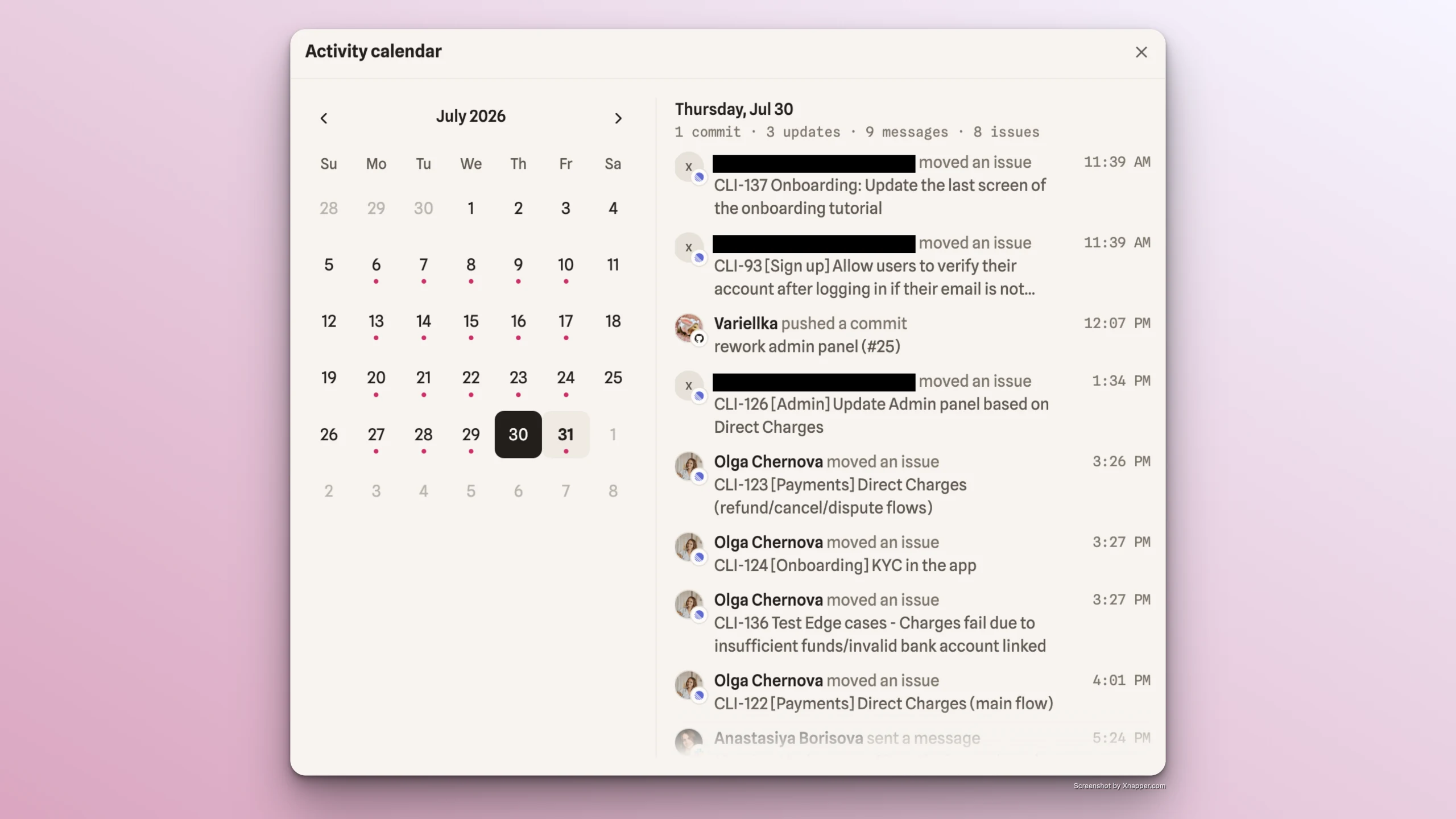
- User's full name
- Action performed (commit pushed, message sent, update posted, task status changed, changelog published)
- Details of the action (commit name, task name, message text, update text, changelog title)
- Timestamp of the action
Team's activity history
- Click on Activity Calendar:
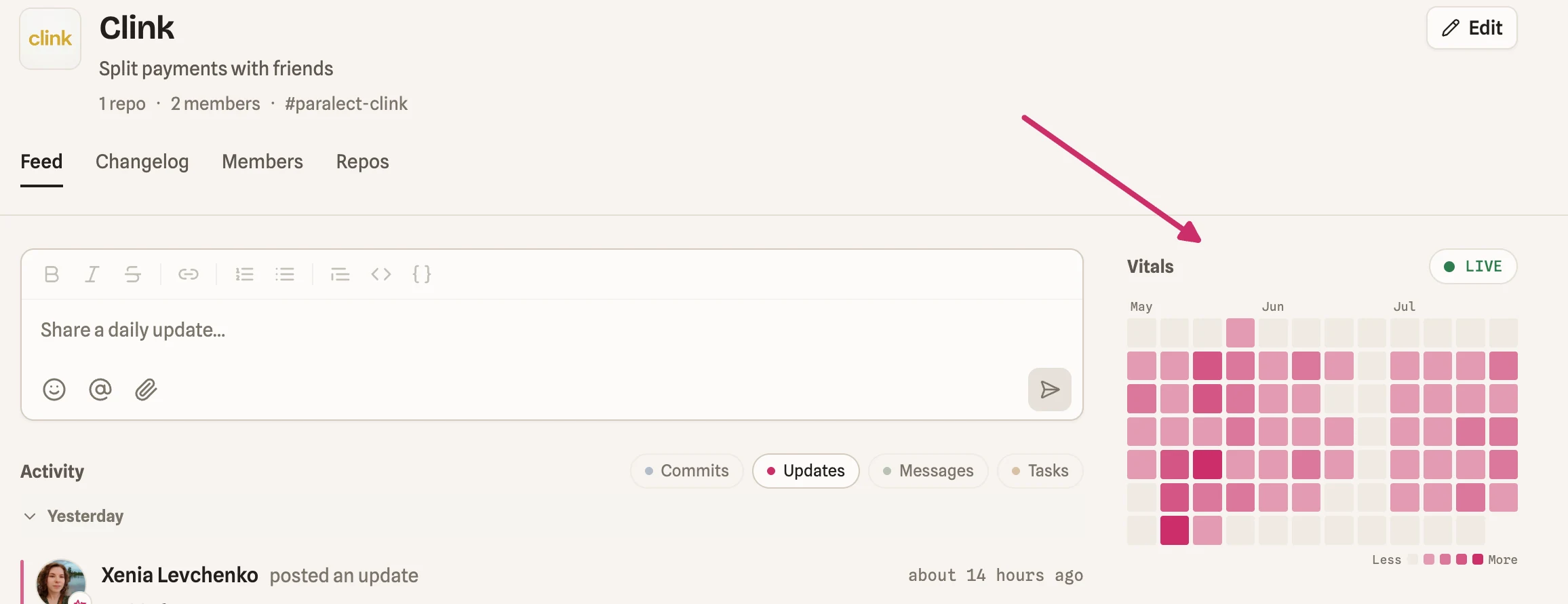
- View a calendar where you can select any date/year to see a summary of that day's activity, along with detailed feed information for each team member:
Sending daily and weekly updates
From the Feed project members can send daily and weekly updates that go to the Slack channel connected to the Pulse project and selected for sending updates. Find all the details in this article.